Free foreverClean no adsLocal offlineApple silicon & Intel
One tool for screenshots and recordings
Press a shortcut to start, then annotate, copy, save or pin right away.
Smart capture
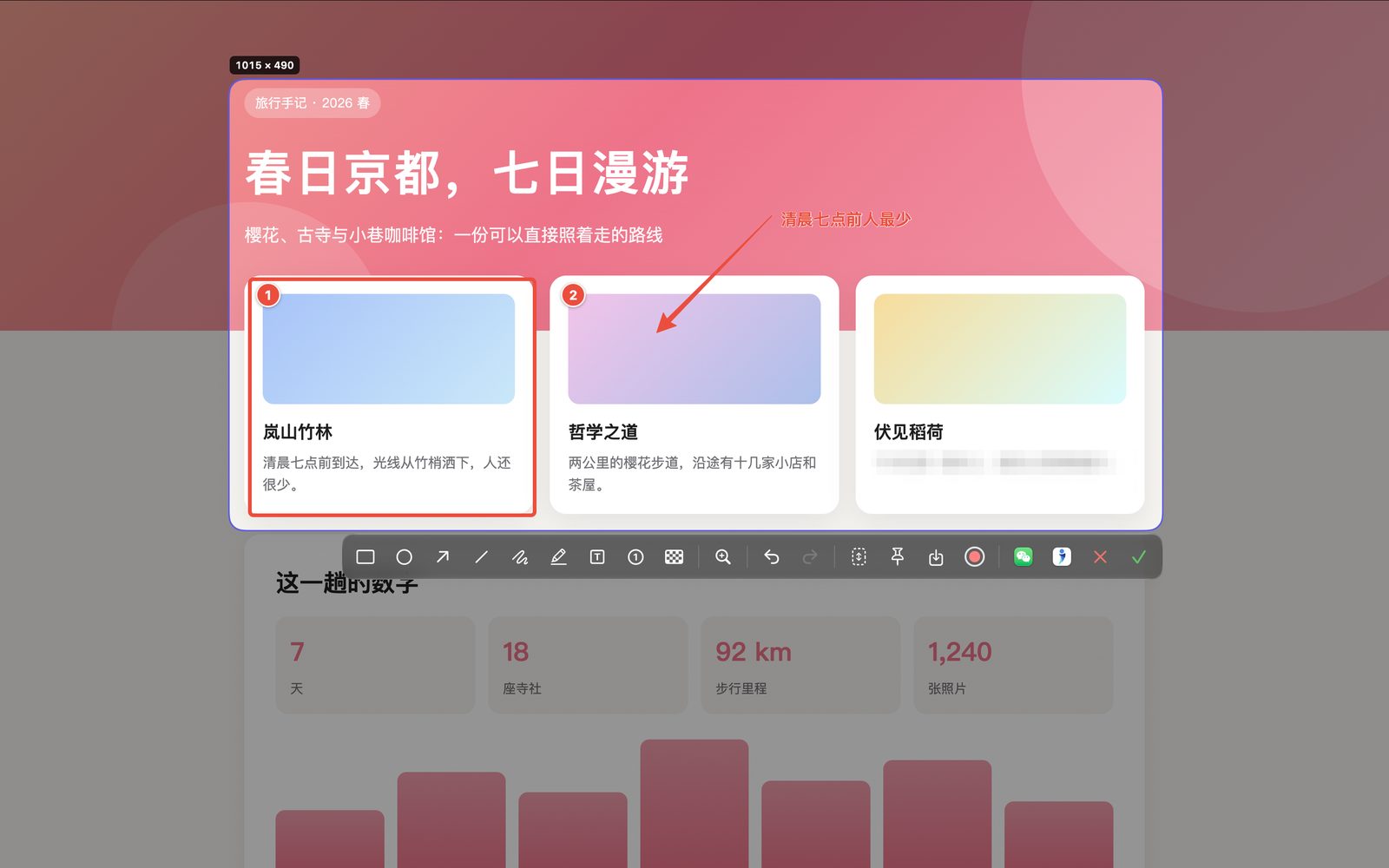
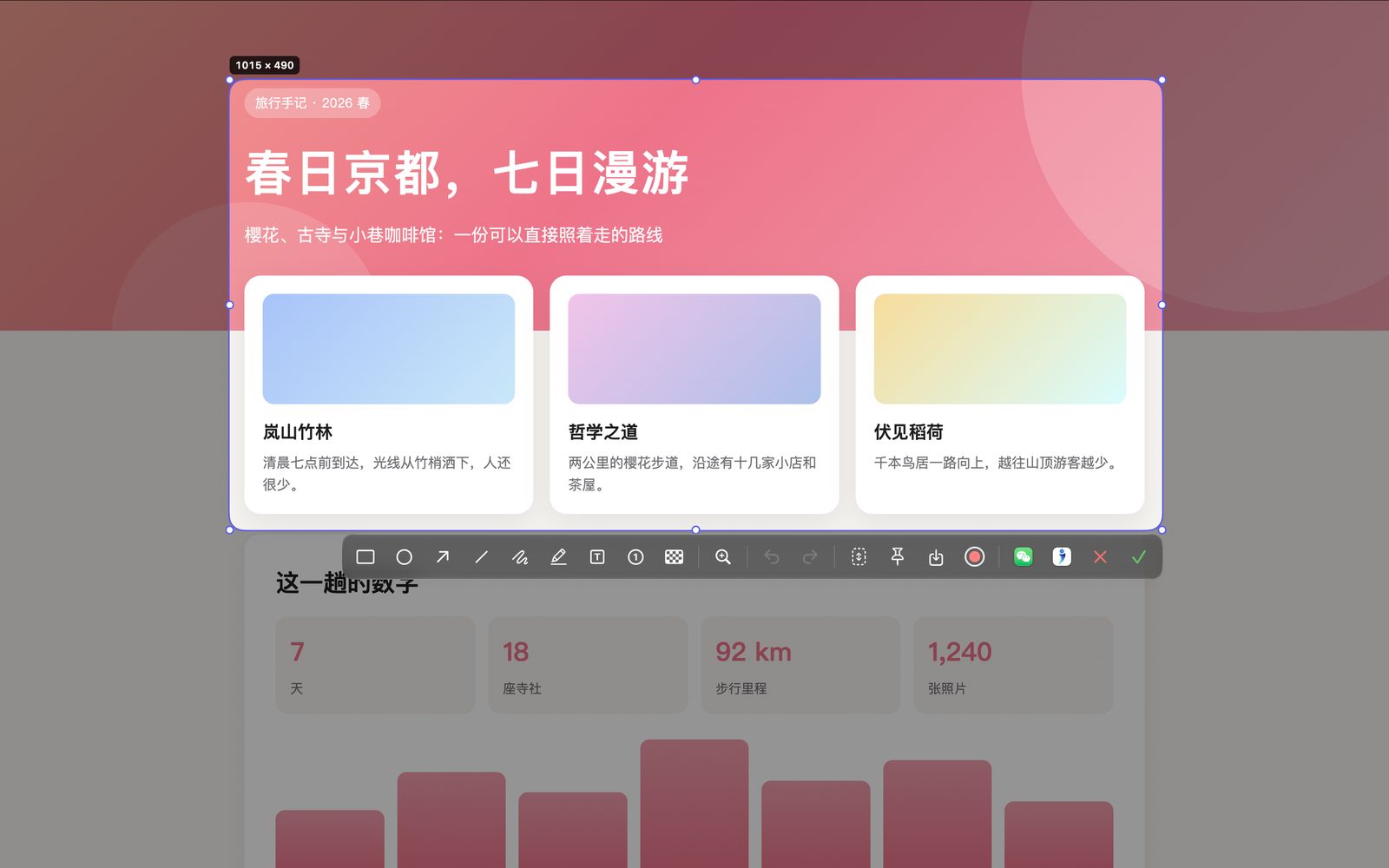
Area, window or full screen, with automatic window detection on hover. A pixel-precise magnifier — press C to copy the color value.
Annotate & blur
Rectangles, arrows, numbered steps, text and highlights. Mosaic blur with pixelation, previewed live as you drag.
Scrolling capture
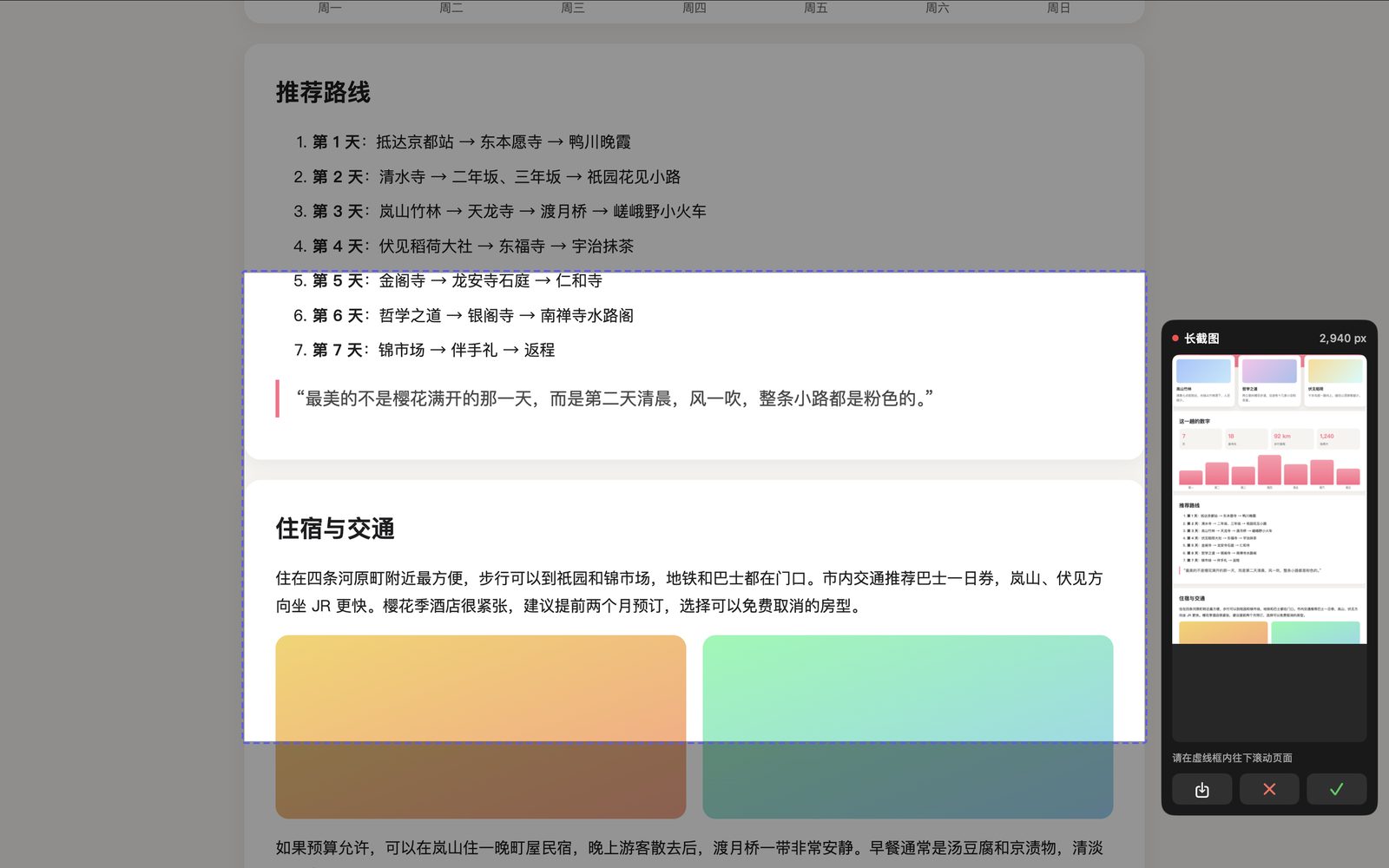
Select an area and scroll — the stitched result previews live in the corner. Sticky headers and footers are detected and never duplicated.
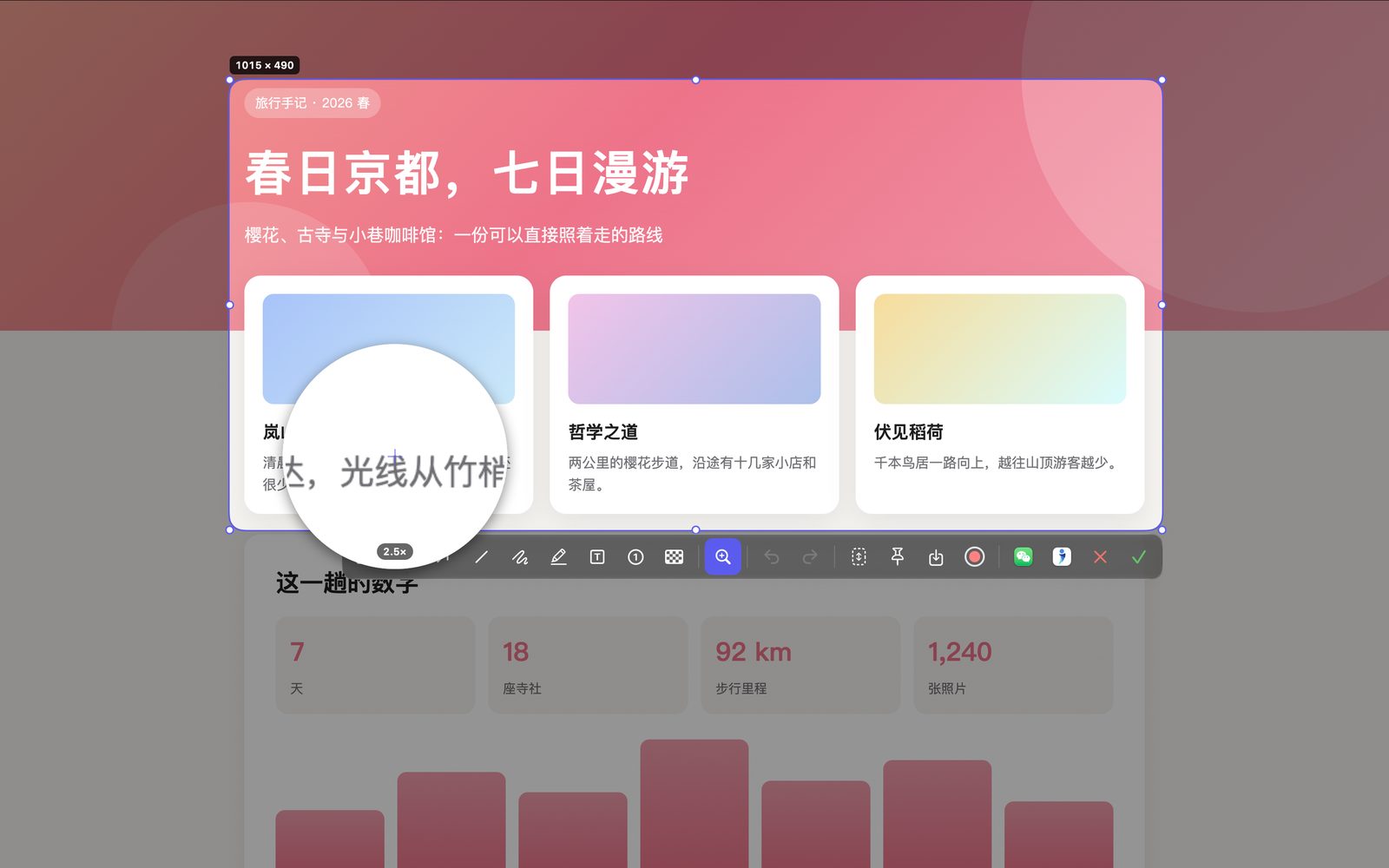
Magnifier
Turn it on from the toolbar to zoom in wherever the pointer goes. Its size adapts to the selection for precise drawing.
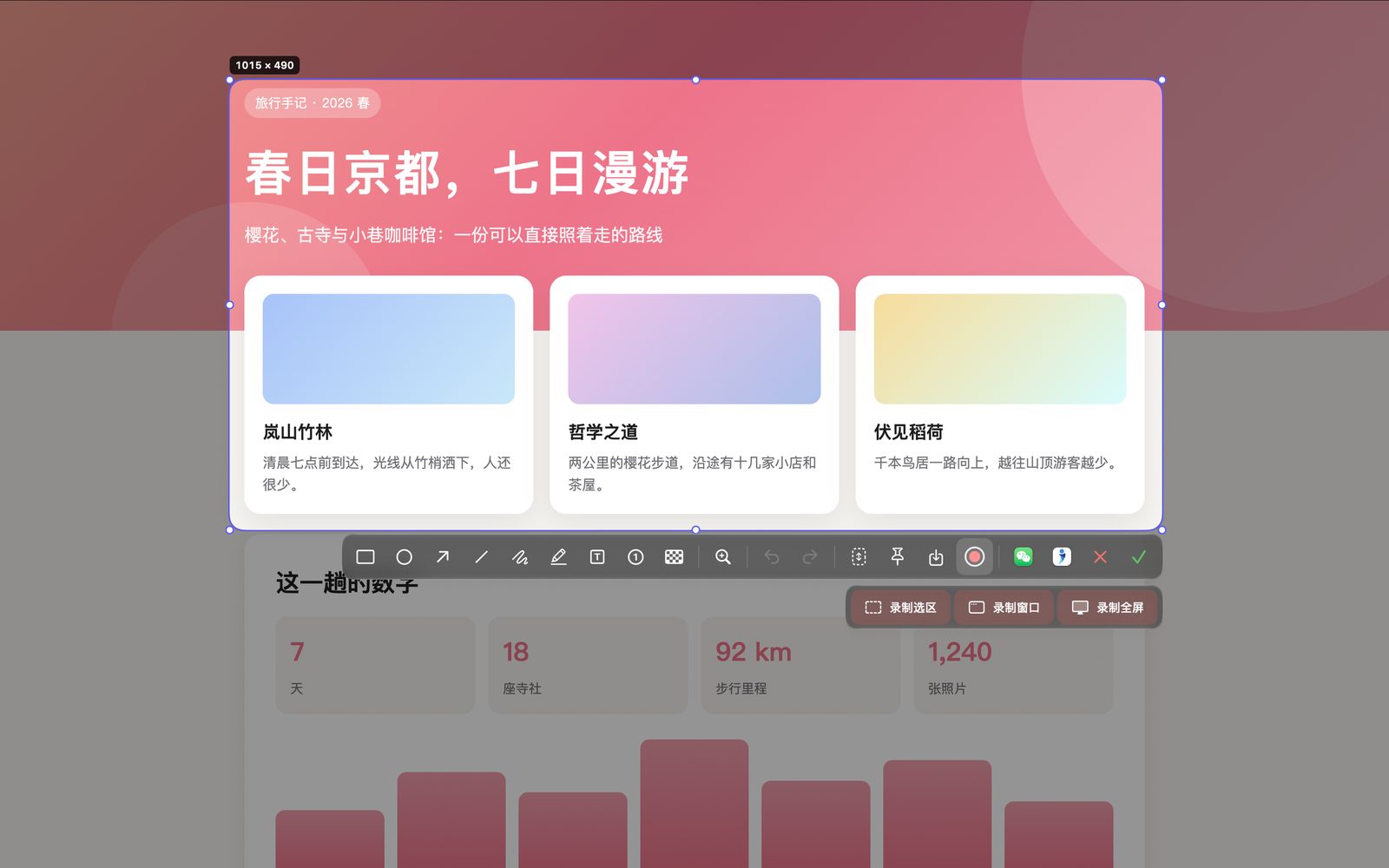
Screen recording
Record an area, a window or the whole screen, with system audio and microphone. The control bar tucks into the screen edge, showing only the timer.
Rounded corners
Optional rounded screenshots — what you see in the selection is what you get, and the clipboard copy keeps the corners too.
See it in action
All images below are real MomentShot screens.
Area capture · selection and toolbarScrolling capture · live stitching previewMagnifier · zoom in on detailsScreen recording · area / window / full screen
Your screen belongs to you
MomentShot never connects to the internet, uploads or tracks anything. Screenshots, recordings and annotations are all processed locally on your Mac — no account, no analytics.
✓ Free forever✓ No ads✓ Collects no data✓ Coming soon to the Mac App Store
FAQ
Can't find an answer? Send us an email.
Screenshots only show the wallpaper or are black?
Allow MomentShot in System Settings → Privacy & Security → Screen & System Audio Recording, then reopen the app.
No microphone audio in recordings?
Turn on “录制麦克风” (Record microphone) in the app's Settings → 录屏 (Recording), and allow microphone access in System Settings.
Where are screenshots and recordings saved?
The first time you save a screenshot or start a recording, MomentShot asks you to choose a folder and saves there from then on. You can change it anytime in Settings → 输出 (Output).
Keyboard shortcut does nothing?
It may conflict with another app's shortcut. Pick a different combination in Settings → 快捷键 (Shortcuts).
How do I take a scrolling screenshot?
Select the area, click the scrolling-capture button on the toolbar, then scroll the page inside the dashed frame. The stitched result previews live in the bottom-right corner; click ✓ to copy or ⬇ to save.